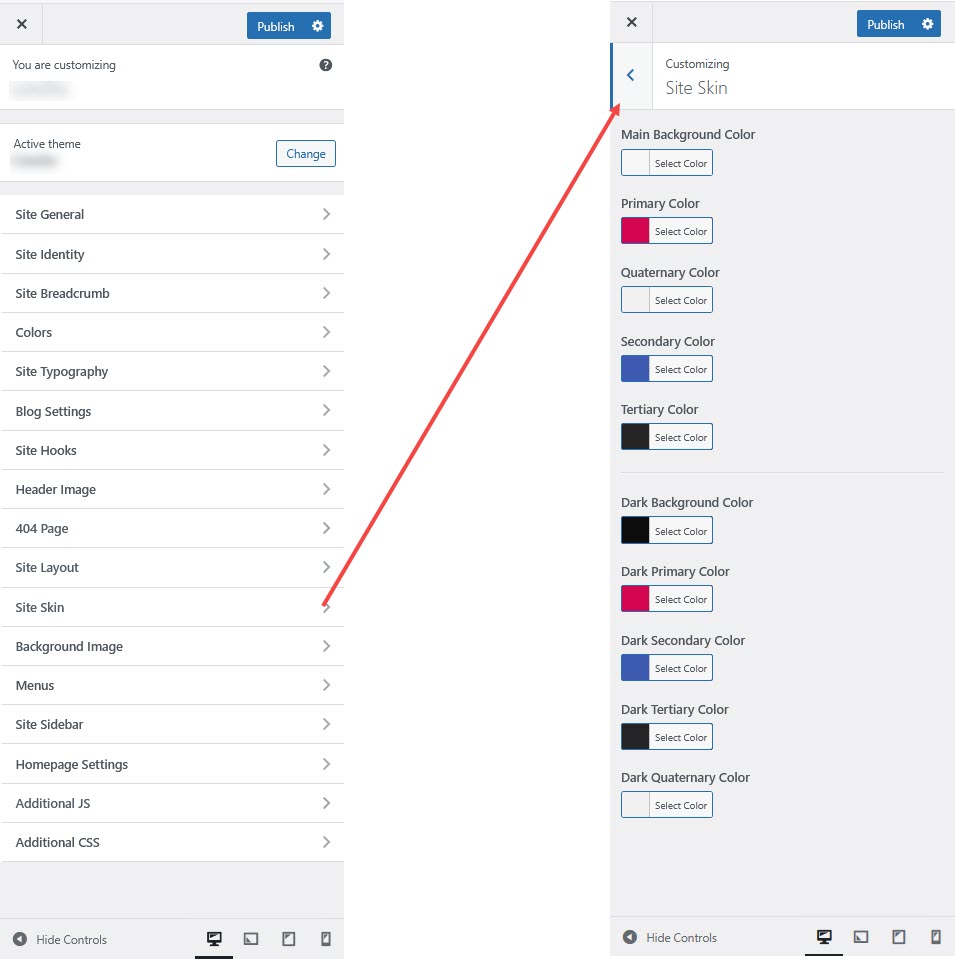
Site Skin
The Site Skin customization option in WordPress allows you to change the overall color scheme and design style of your website. This can include selecting between light and dark modes or applying predefined color themes to your site.
Here's a short form of the Site Skin settings process
Step 1 : Login to your WordPress admin dashboard.
Step 2 : Go to Appearance > Customize > Site Skin.
Step 3 : Select Site Skin or a similar section in the theme options.
Step 4 : Choose between Light Mode, Dark Mode, or any available custom skins.
Step 5 : Adjust other settings like accent colors and background as needed.
Step 6 : Click Publish to save your changes.